Smart TVs
Compatible Samsung, LG, and Sony TVs.
 Media Server Pro
Local media server for Mac
Keep your videos, music, and photos on your Mac. Browse and play them from a compatible TV or media player on your home network.
$5.99 USD onceNo subscriptionmacOS 15.7+
Family Sharing supported. Prices vary by region.
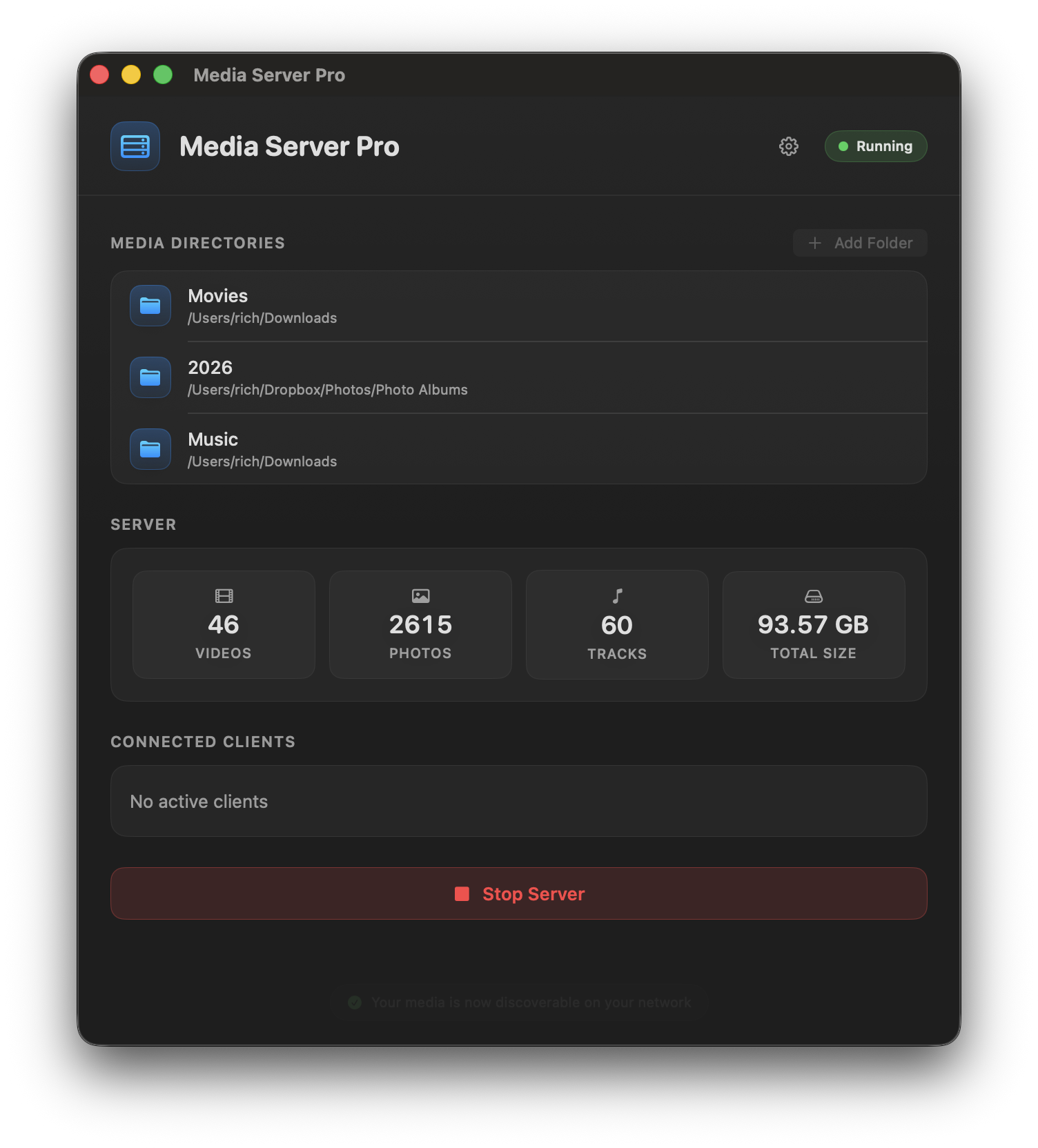
Three steps to the sofa
Add the folders with your videos, music, or photos.
Click Start Server. Keep your Mac and playback device on the same home network.
Open a compatible media player, choose Media Server Pro, and play a file.
Your screen, your player
Use a TV or app that can browse DLNA media servers.
Compatible Samsung, LG, and Sony TVs.
Compatible media-player apps on Xbox and PlayStation.
VLC, Kodi, and 8Player Pro on supported devices.
Files play in their original format. Your receiving device must support the video, audio, and subtitles; Media Server Pro does not transcode. Need connection help?
At home on your Mac
Share selected folders and keep your files organized the way you like.
Check server status and connected clients while you keep using your Mac.
Stream locally, with no app account to create and no usage data collected.
Before you buy
It turns your Mac into a local media server so compatible Smart TVs, consoles, VLC, Kodi, 8Player Pro, phones, and tablets can browse and stream videos, music, and photos from folders you choose.
A DLNA server is a local media server that lets compatible TVs, consoles, and media-player apps find and browse videos, music, and photos on your home network. Media Server Pro turns your Mac into that browsable source, using the folders you choose.
No. Media Server Pro is local-network software. There are no accounts, subscriptions, or cloud library services to manage.
Any compatible network media player can work, including many Smart TVs, Xbox and PlayStation media players, VLC, Kodi, 8Player Pro, and mobile media-player apps.
No. Media Server Pro streams your files without converting them. Your TV or receiving app needs to support the file’s video, audio, and subtitle formats. This avoids the processing needed for live conversion. If a file will not play, try a compatible player such as VLC, convert the file beforehand, or use a server with transcoding.
Make sure both devices are on the same network, avoid guest Wi-Fi, allow incoming connections in macOS Firewall, and check whether a VPN is blocking local network discovery.
Media Server Pro requires macOS 15.7 or later.
No. We do not collect any usage data from Media Server Pro.
Ready to watch?
Share your folders with compatible players on your home network.
$5.99 USD onceNo subscriptionmacOS 15.7+
Family Sharing supported. Prices vary by region.